
For UK locums & healthcare staff
Locum work for
nurses
Find locum and temporary shifts across the UK. Set your availability, your travel distance and the minimum rate you will accept — and only see the shifts that match.
- Work that fits around you
- Know what you will be paid
- Upload your documents once
- Free to use
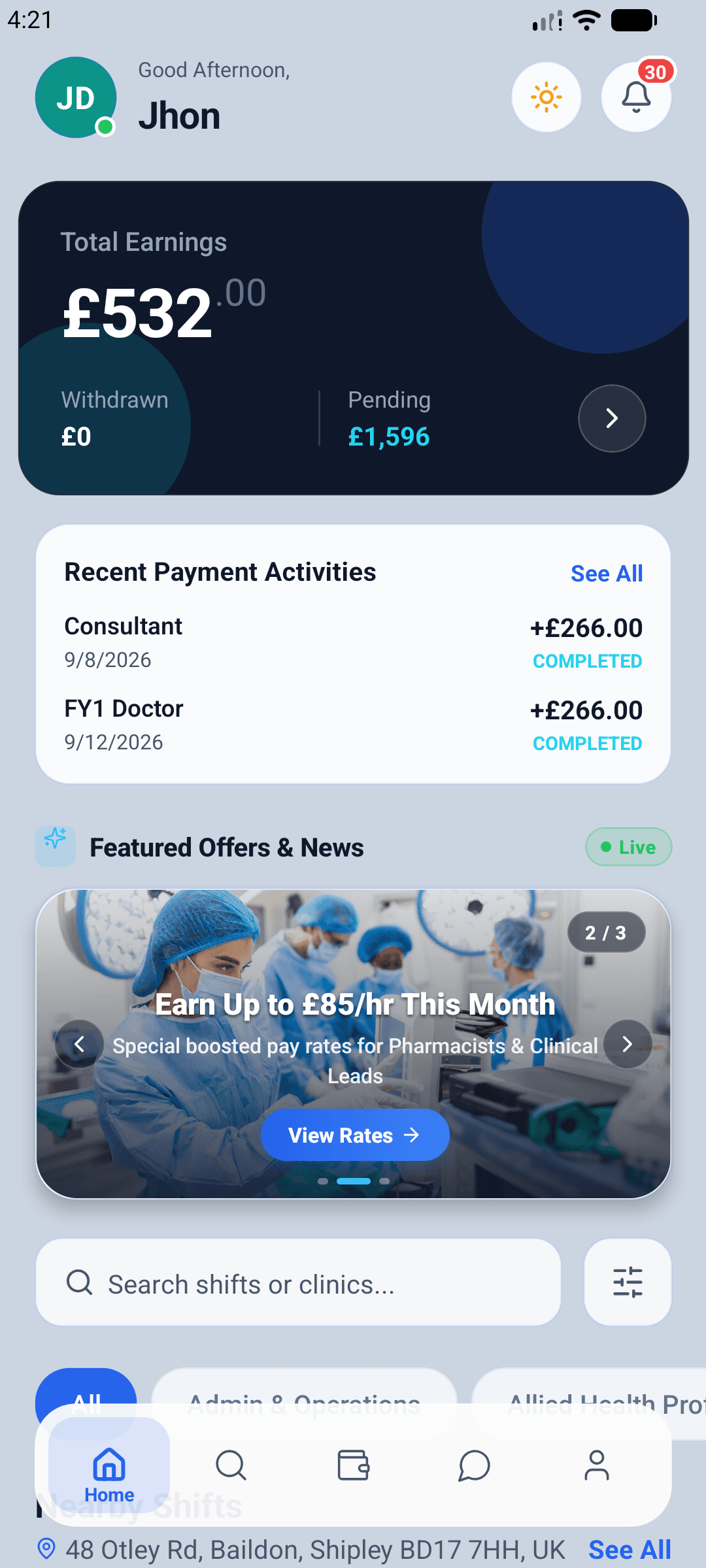
Why workers choose TSOR Med
Find locum work that fits
For nurses, healthcare assistants, doctors, pharmacists, allied health professionals, mental health staff and practice admin looking for locum and temporary shifts across the UK.
Work that fits around you
Set your availability by day, your travel distance and the minimum hourly rate you will accept. You only see shifts that match.
Know what you will be paid
The rate and the hours are on the shift before you apply. No ringing round to find out what a shift is worth.
Upload your documents once
Your DBS, insurance and training certificates are checked once and reused for every booking, with reminders before anything expires.
Free to use
Creating a profile and finding shifts costs you nothing.
How it works
Four steps to your first shift
From creating your profile to withdrawing your earnings — your documents are checked once, then reused for every booking, with reminders before anything expires.
If you work shifts
- Create your profileAdd your professional registration, speciality and the hours you can work — then set how far you are willing to travel.
- Upload your documentsDBS, right to work, indemnity insurance and training certificates. We check them once, and you are ready for every shift.
- Book shifts near youSee shifts that match your speciality, your travel distance and your minimum rate. Apply in a tap.
- Submit and get paidLog your hours in the app. Once the organisation approves your timesheet, request a withdrawal to your bank account.
For workers
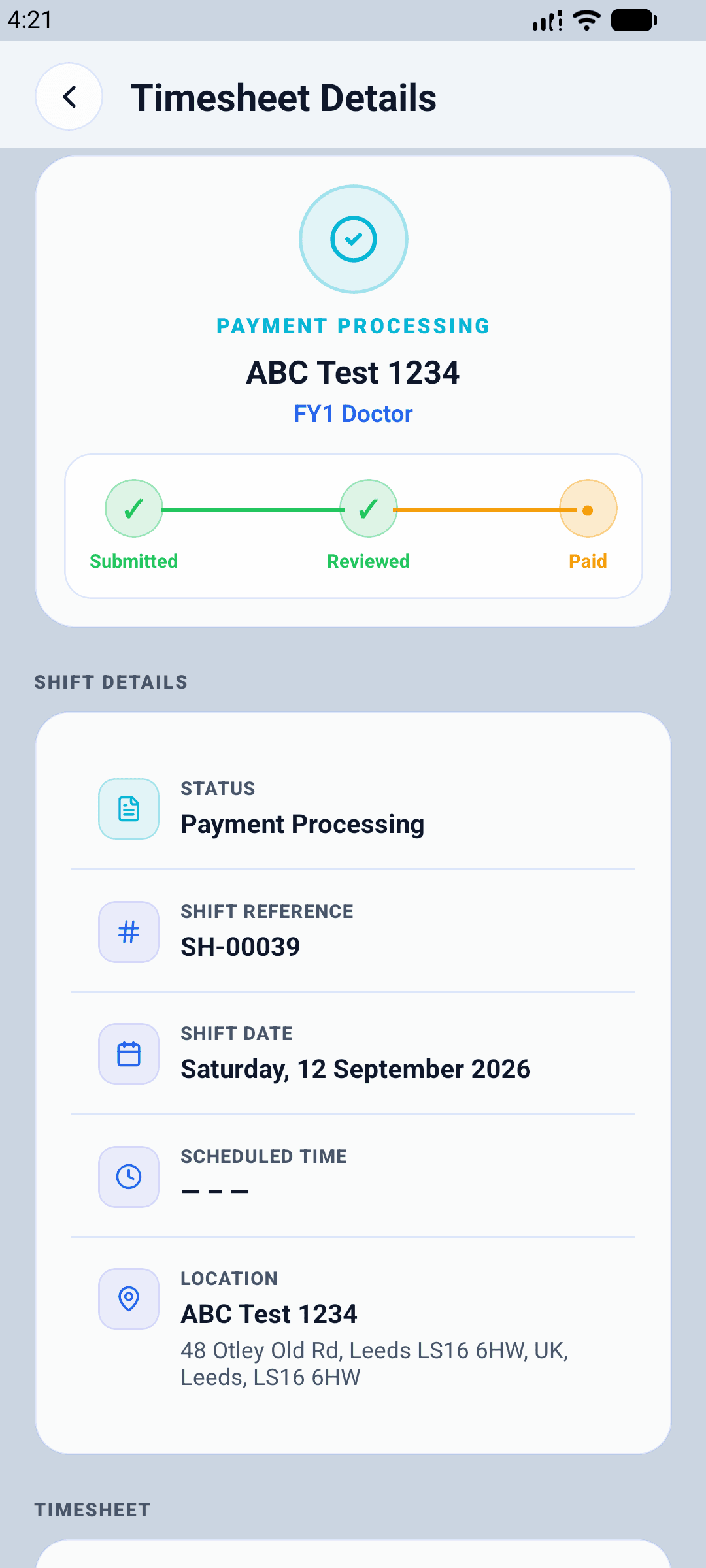
Every timesheet, tracked to paid
Submit your hours from the shift screen and follow each timesheet from submitted to reviewed to paid. The organisation approves the hours before anything becomes payable — no invoice raising, no chasing.
- Submit hours as soon as the shift ends
- Live status from submitted to paid
- Every timesheet carries its shift reference
Your earnings
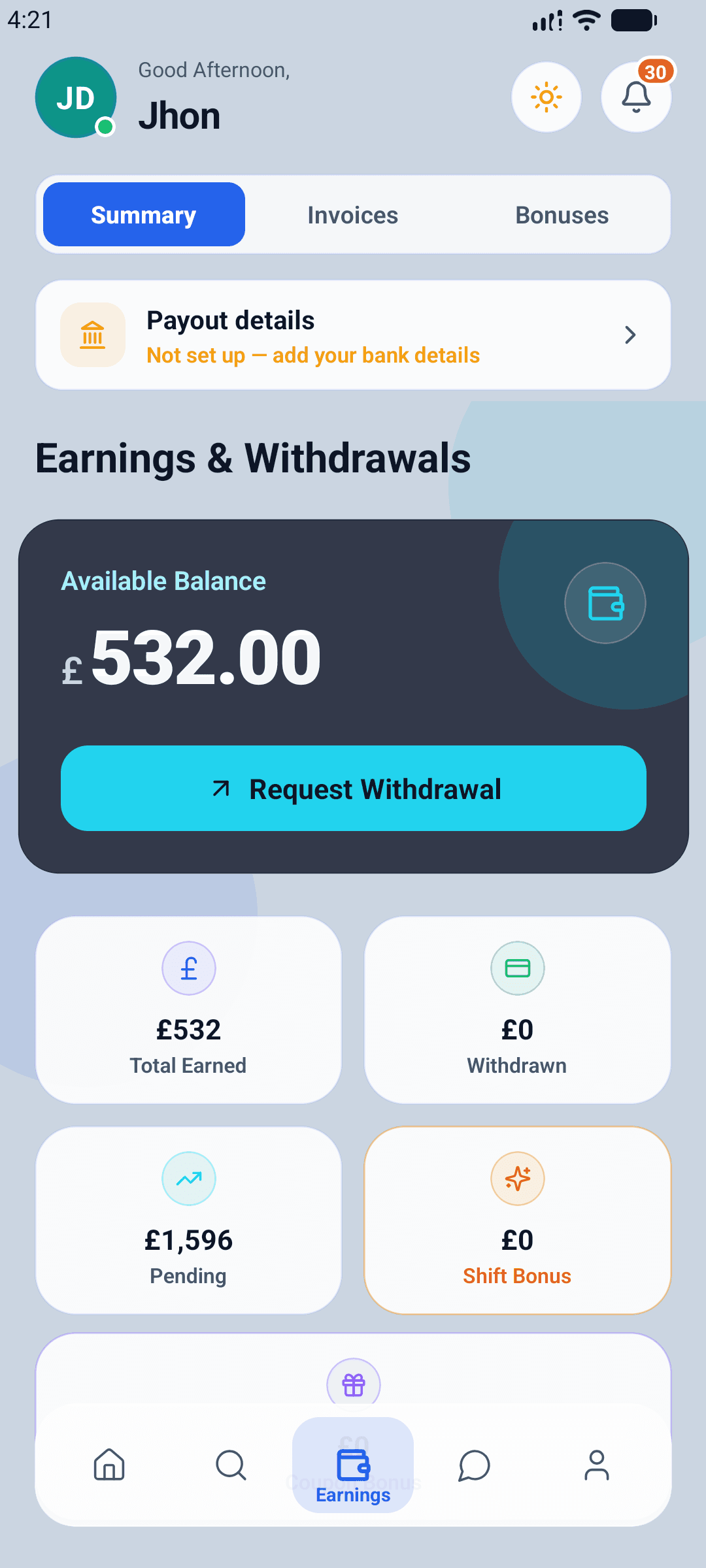
Earnings and withdrawals in one place
Approved timesheets become earnings you can withdraw to your UK bank account. Pending and paid stay separate, and any shift bonus appears the moment it is earned.
- Available balance with a one-tap withdrawal request
- Pending, paid and bonuses kept apart
- Payout details held once, reused every time
FAQ
Questions we get asked
Everything organisations and workers ask before their first booking. Search the list, or read them all — and if yours is missing, the answer is one email away.
Still stuck?
A UK team answers every email.
What does it cost?
Organisations pay the hourly rate they set, plus a platform fee that is shown on the shift before it is published. Locums pay nothing to create a profile or find work. Your exact fee is confirmed when your organisation is approved.
How do organisations pay?
You settle an approved invoice by card or by bank transfer. Card payments are processed securely by Stripe Payments Europe — your card details go straight to Stripe and never touch our servers — and bank transfer remains available if you would rather not pay by card. Either way, nothing is requested until you have approved the timesheet behind the invoice.
How do you verify staff?
Every worker uploads their professional registration and compliance documents — DBS, right to work, indemnity insurance, training certificates and any role-specific requirements. Our team reviews each one and records its expiry date. A worker cannot accept a shift until the documents that shift requires are approved and in date.
How quickly can a shift be filled?
A shift goes live to verified workers in your area as soon as you publish it, and urgent shifts are sorted to the top of their listings. How fast it fills depends on the role, the rate and how many suitable locums are nearby, so we do not promise a fixed time.
What happens if a shift is cancelled?
Cancellation terms are published in advance and depend on how close to the shift the cancellation happens. You can see what is chargeable and what is free before you book, and the figures are fixed at the time of the request so they cannot change afterwards.
Which parts of the UK do you cover?
The platform is built for the UK throughout — pounds, UK addresses and UK working patterns. Whether there is cover near you depends on how many locums have registered in your area.
Are you connected to the NHS?
No. TSOR Med is an independent staffing platform and is not affiliated with, endorsed by or part of the NHS.
Get started with TSOR Med
Download the app, register, and upload your documents. We review every organisation and every worker before they go live — so both sides of a booking are checked.
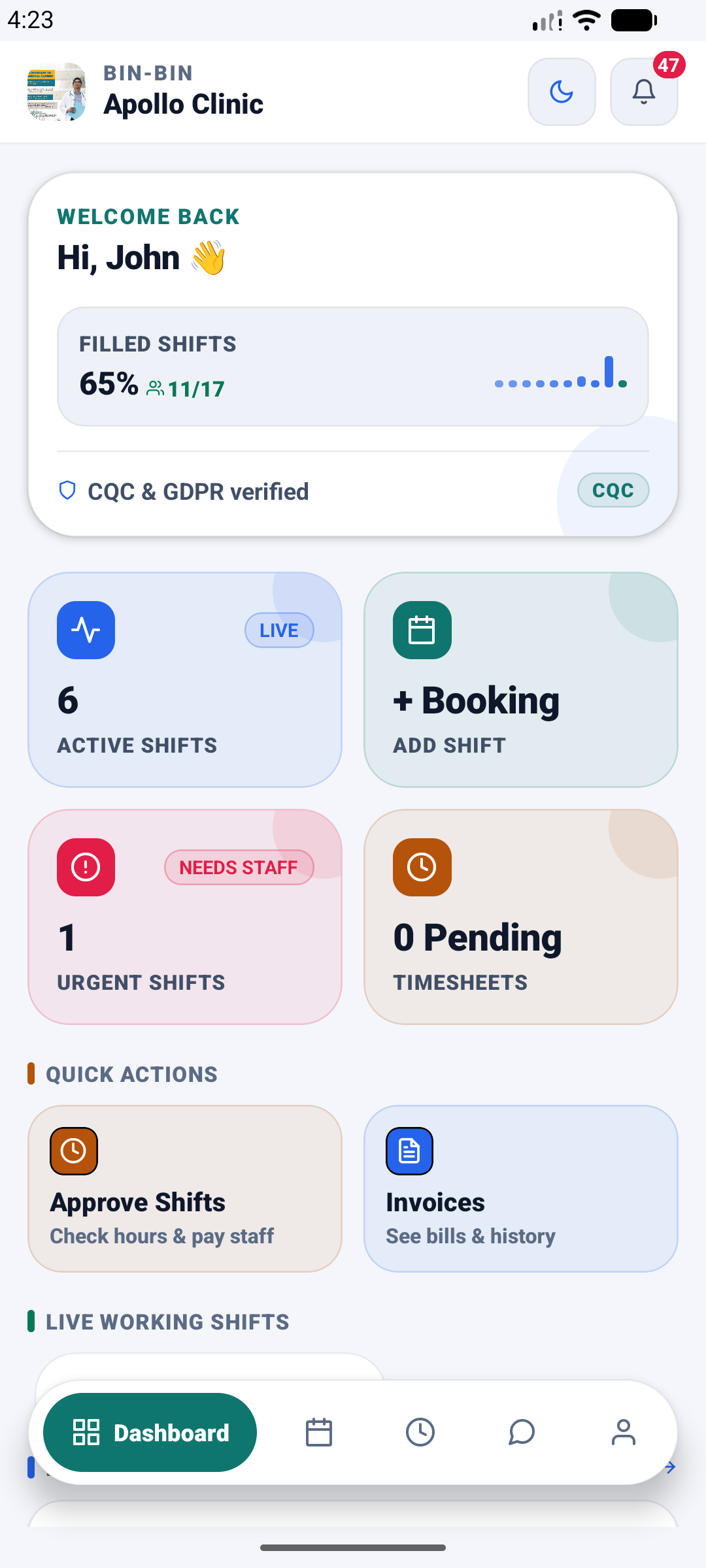
I book staff for a clinic
TSOR Med Organisation — post shifts, approve timesheets and manage invoices.


I’m a locum worker
TSOR Med — find shifts near you, log your hours and get paid.
— Or scan instead —
Scan to download
TSOR Med Organisation
Point your phone camera at the code to open the store listing.

Scan to download
TSOR Med
Point your phone camera at the code to open the store listing.
Questions? Email support@tsormed.co.uk — we are a UK team.