
UK healthcare staffing
Locum cover for
UK clinics
Post a shift in minutes, reach verified clinical staff near your practice, and settle it all with one clear invoice — without agency phone calls, mark-ups or paperwork.
- Verified staff only
- Fees shown up front
- Card payments processed by Stripe
- UK support team
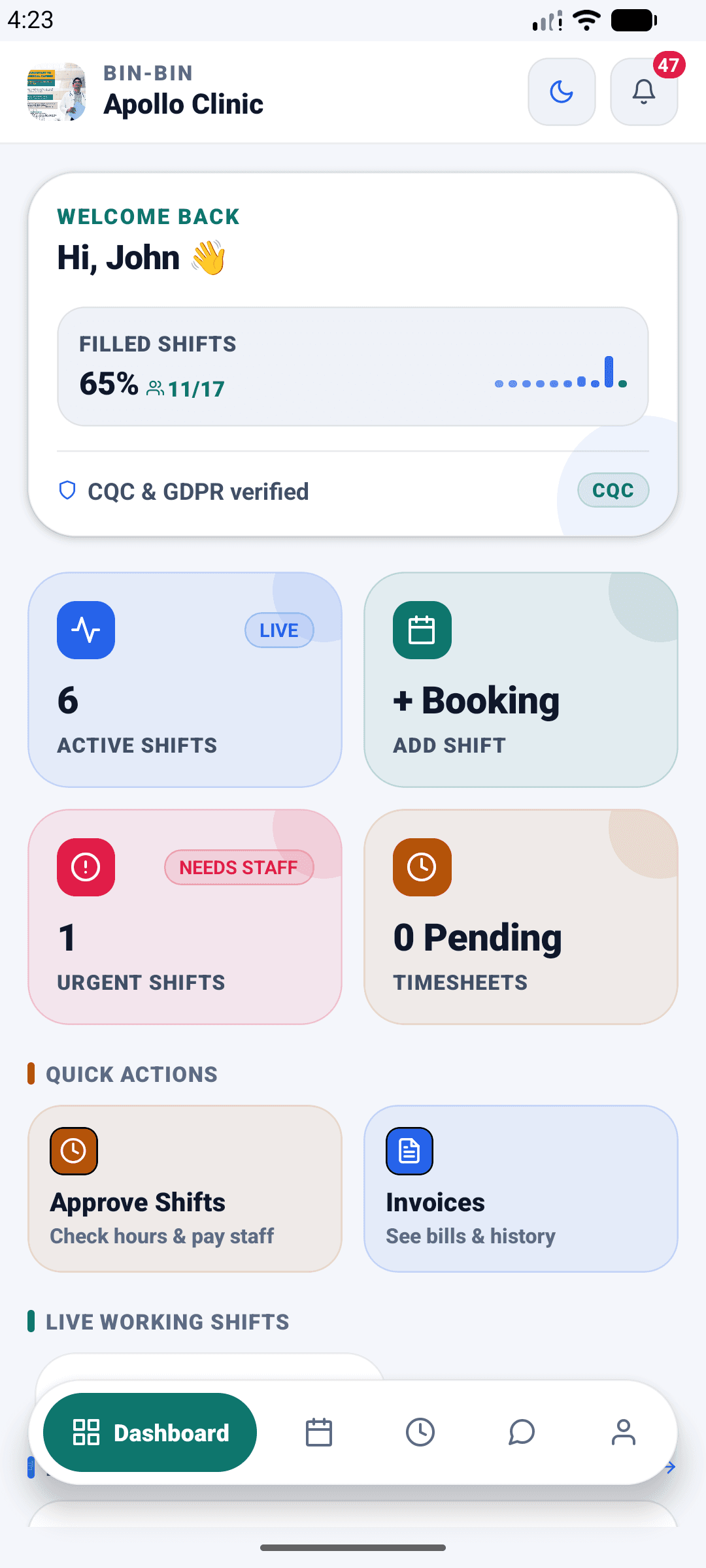
For organisations
Book the cover you need
For GP practices and primary care networks, private clinics, community pharmacies, dental practices, care and nursing homes — any UK healthcare organisation booking temporary clinical or administrative staff.
- Fill your rota fasterA vacancy goes live straight away to verified workers in your area — no agency phone calls, no waiting for a callback.
- Know the cost before you postHourly rate, total budget and the platform fee are all shown up front, in pounds. No mark-up appearing on the day.
- Verified staff onlyEvery worker's registration and documents are checked by our team before they can accept a shift.
- One place for everythingShifts, timesheets, invoices, messages and compliance documents all live in the same app.


For workers
Find locum work that fits
For nurses, healthcare assistants, doctors, pharmacists, allied health professionals, mental health staff and practice admin looking for locum and temporary shifts across the UK.
- Work that fits around youSet your availability by day, your travel distance and the minimum hourly rate you will accept. You only see shifts that match.
- Know what you will be paidThe rate and the hours are on the shift before you apply. No ringing round to find out what a shift is worth.
- Upload your documents onceYour DBS, insurance and training certificates are checked once and reused for every booking, with reminders before anything expires.
- Free to useCreating a profile and finding shifts costs you nothing.
How it works
Four steps, both sides
The same booking, seen from each end. Every organisation and every worker is reviewed by our team before they reach the other.
If you book staff
- Register your organisationUpload your CQC registration, business registration, indemnity insurance and VAT certificate. We review them before your account goes live.
- Post a shiftPick a staff category and role, set your hourly rate and how many people you need, choose the dates and times, and publish.
- Get coveredVerified locums nearby see the shift and book it. You are notified the moment it is filled.
- Approve and payCheck the hours worked, approve the timesheet, and settle a single clear invoice.
If you work shifts
- Create your profileAdd your professional registration, speciality and the hours you can work — then set how far you are willing to travel.
- Upload your documentsDBS, right to work, indemnity insurance and training certificates. We check them once, and you are ready for every shift.
- Book shifts near youSee shifts that match your speciality, your travel distance and your minimum rate. Apply in a tap.
- Submit and get paidLog your hours in the app. Once the organisation approves your timesheet, request a withdrawal to your bank account.
Transparent costs
Know the cost before you post
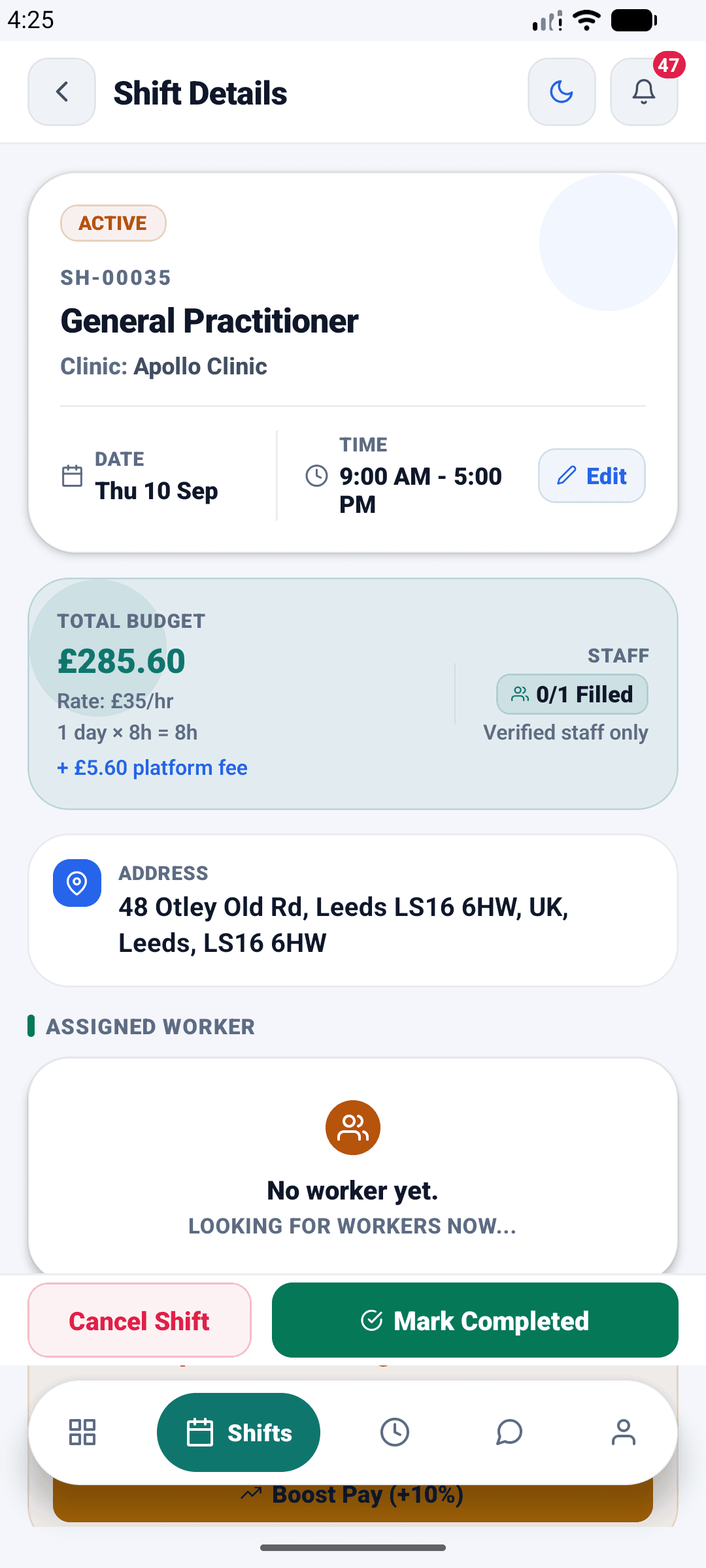
The shift screen shows the hourly rate, the total budget and the platform fee together, in pounds. Cancellation rules are published in advance too, so you always know what is chargeable and what is free.
- Total budget calculated from your rate and hours
- Platform fee shown as a separate line, never buried
- Fill count live on the shift, per role
Rota control
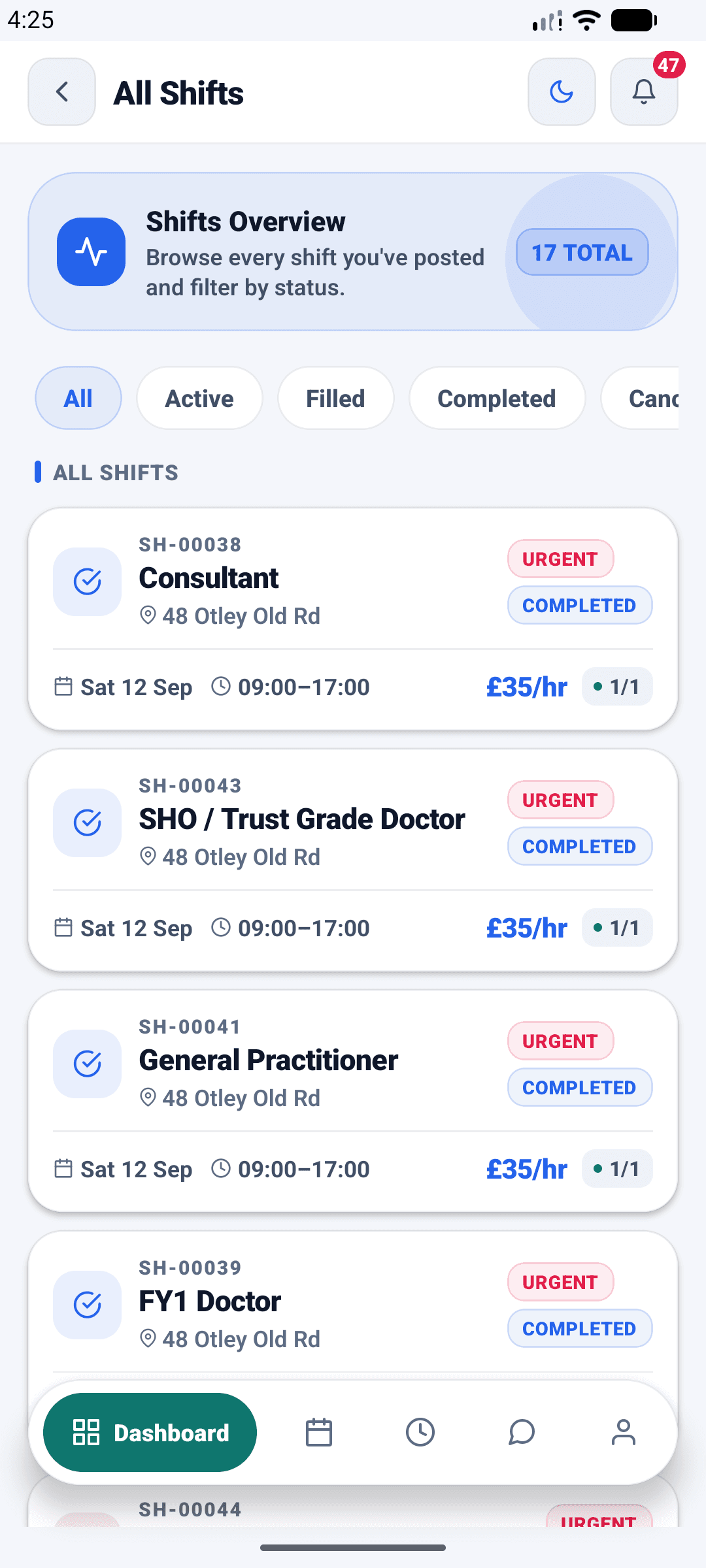
Every shift, live in one list
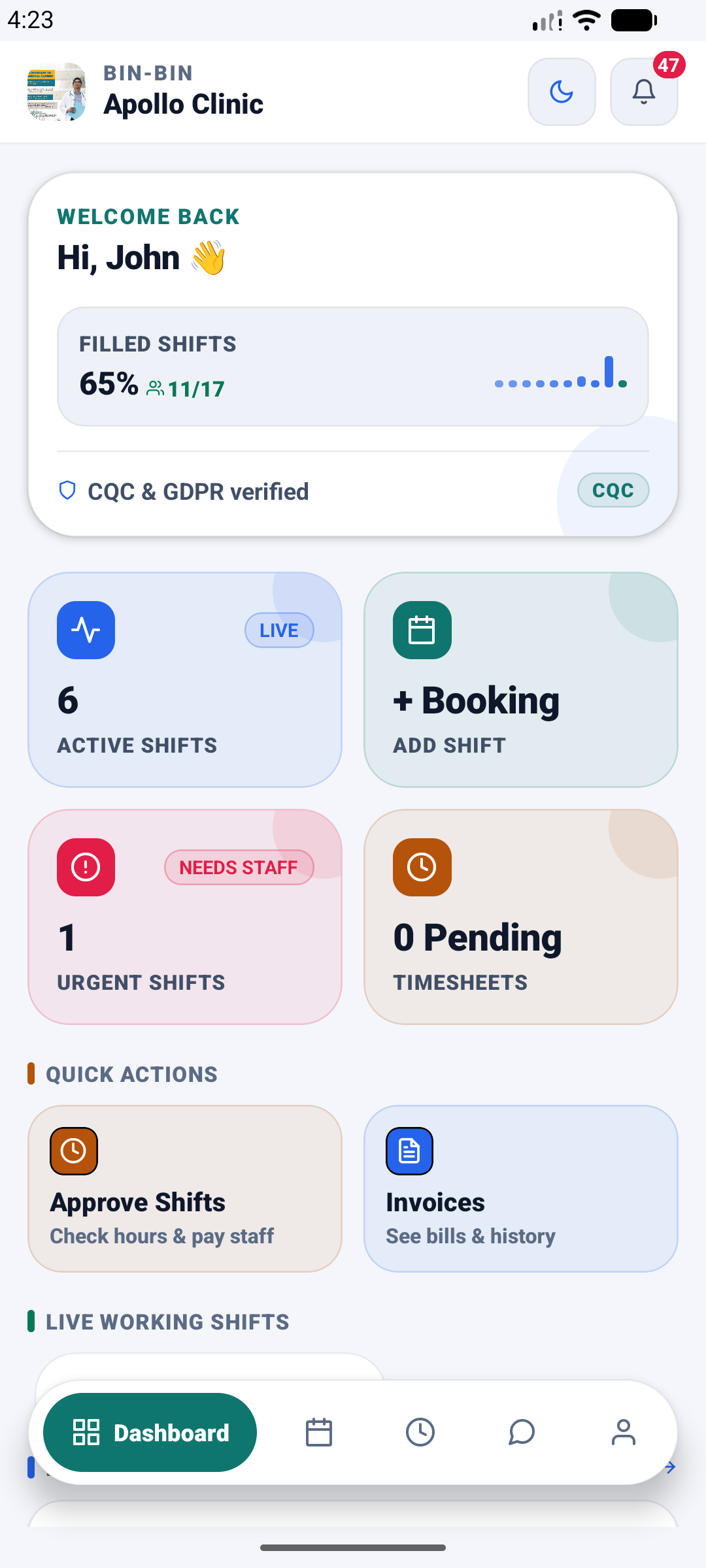
Active, filled and completed shifts sit in one filterable list, with urgent vacancies flagged. Each shift carries its reference, its hourly rate and its fill count, so the state of your rota is always a glance away.
- Urgent shifts flagged
- Fill counts shown per shift
- Every shift carries its SH- reference
Admin, handled
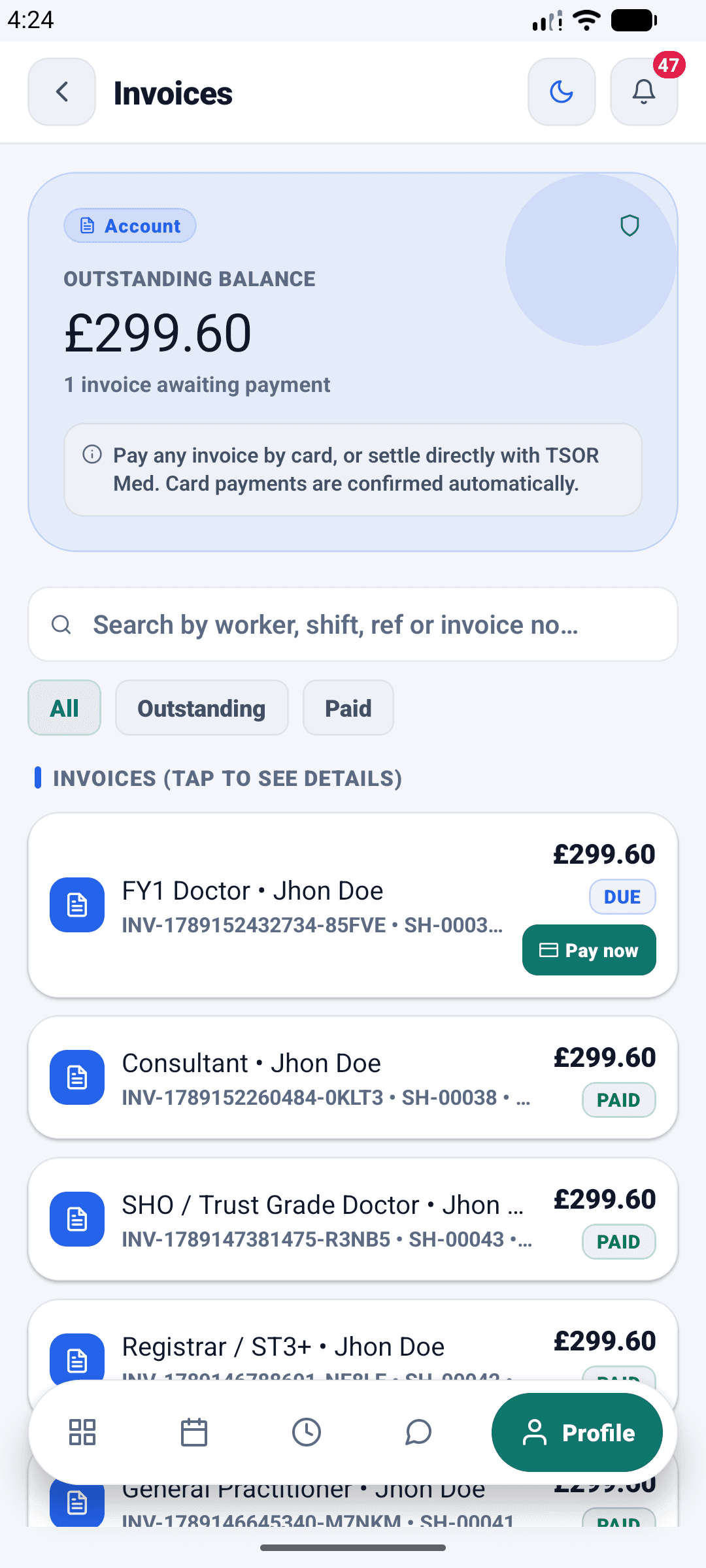
Invoices you can settle in a tap
Approve the hours worked before anything is owed, then settle from the invoices screen — one outstanding balance, one tap to pay by card. Every invoice keeps its reference and its status, with the full history behind it.
- Outstanding balance on one screen
- Pay an invoice by card in one tap
- DUE and PAID statuses on every invoice
For workers
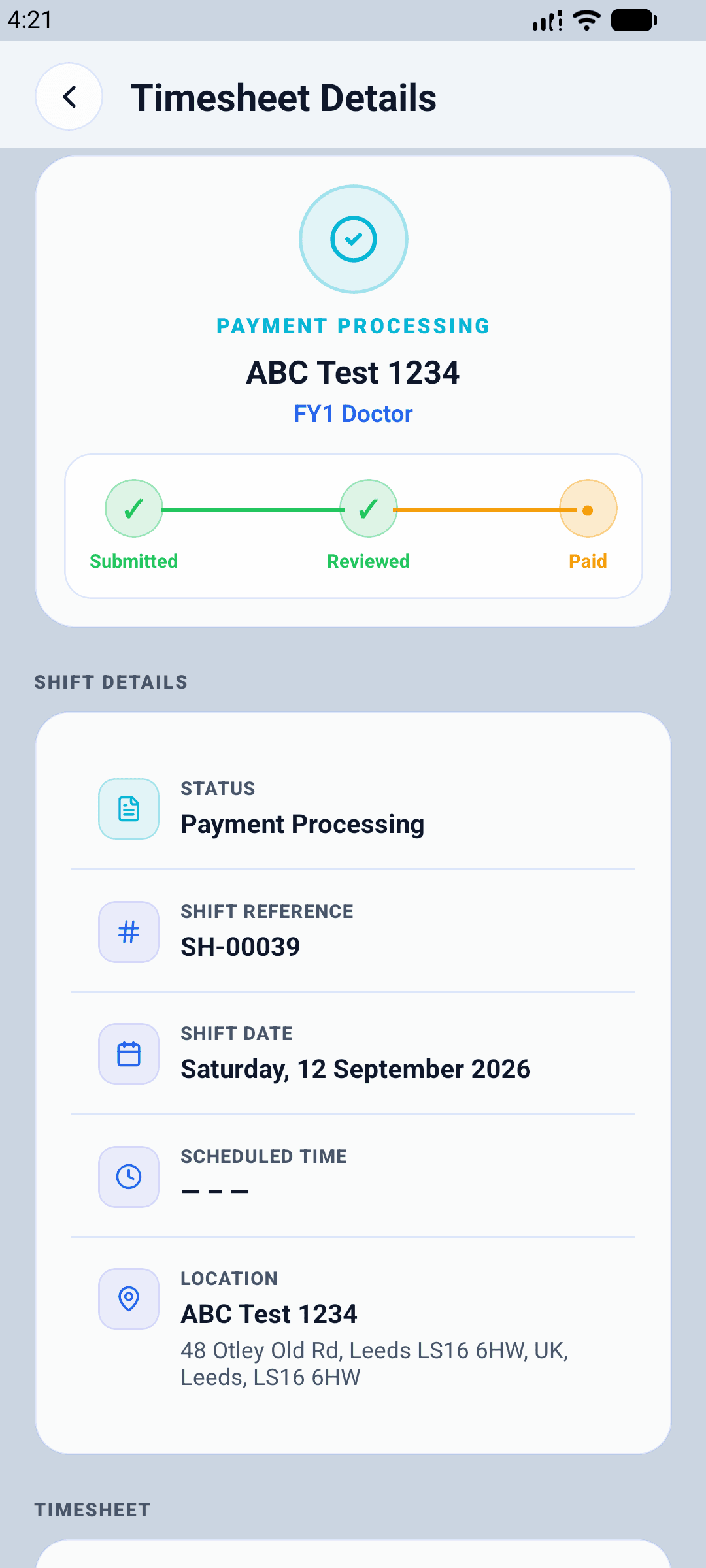
Every timesheet, tracked to paid
Submit your hours from the shift screen and follow each timesheet from submitted to reviewed to paid. The organisation approves the hours before anything becomes payable — no invoice raising, no chasing.
- Submit hours as soon as the shift ends
- Live status from submitted to paid
- Every timesheet carries its shift reference
Your earnings
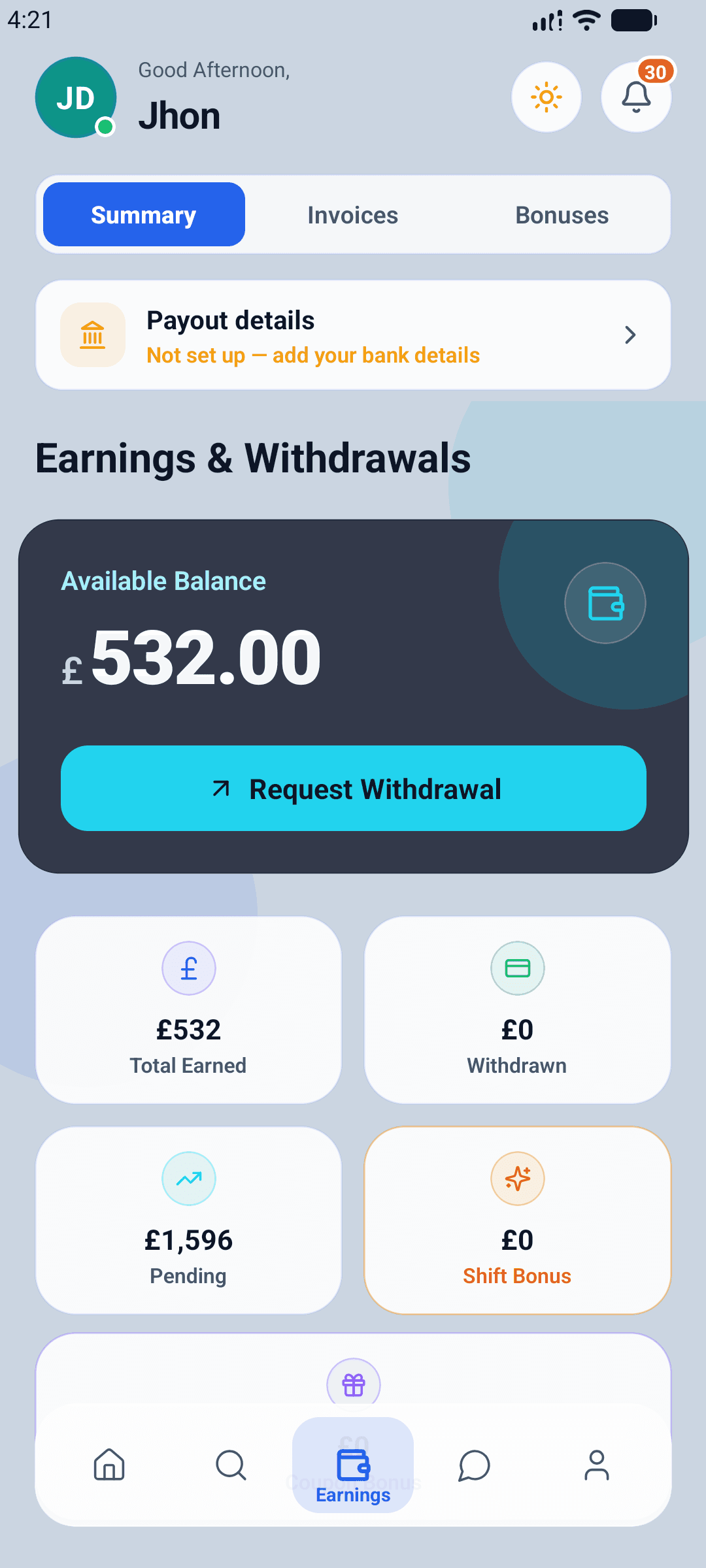
Earnings and withdrawals in one place
Approved timesheets become earnings you can withdraw to your UK bank account. Pending and paid stay separate, and any shift bonus appears the moment it is earned.
- Available balance with a one-tap withdrawal request
- Pending, paid and bonuses kept apart
- Payout details held once, reused every time
Payments
Paying, on your terms
You approve the timesheet first — only then is payment taken. Settle the invoice by card or by bank transfer, whichever suits your practice.
Card, handled by Stripe
Card payments are processed securely by Stripe Payments Europe. Your card details go to Stripe and never touch our servers.
Bank transfer too
Prefer not to pay by card? Bank transfer remains available on every invoice, with the reference printed on it.
One clear invoice
Hours, rate and fee on a single invoice you have already approved, with a full billing history behind it.
Roles covered
Clinical and non-clinical, across the board
Organisations choose a category and a specific role when they post a shift. These are the categories available on the platform today.
Medical Staff
- FY1 & FY2 Doctors
- SHO / Trust Grade
- Registrar / ST3+
- Specialty Doctor
- Consultant
- General Practitioner
Nursing
- Healthcare Assistant
- Nursing Associate
- Registered Nurse
- Charge Nurse
- Ward Manager
- Specialist Nurse
Theatre
- Scrub Nurse
- Anaesthetic Nurse
- Recovery Nurse
- Senior Theatre Practitioner
Emergency & Critical Care
- ED Nurse
- ED Coordinator
- ICU Nurse
- ICU Coordinator
Women & Children
- Maternity Support Worker
- Registered Midwife
- Paediatric Nurse
Allied Health Professionals
- Physiotherapist
- Occupational Therapist
- Dietitian
- Radiographer
- Sonographer
- Podiatrist
Pharmacy
- Pharmacy Assistant
- Pharmacy Technician
- Pharmacist
Diagnostics
- Biomedical Scientist
- Cardiac Physiologist
- Respiratory Physiologist
- Clinical Scientist
Mental Health
- Mental Health Support Worker
- Registered Mental Health Nurse
- Mental Health Practitioner
Admin & Operations
- Receptionist
- Ward Clerk
- Medical Secretary
- Rota Coordinator
- Service Manager
Facilities & Support
- Porter
- Housekeeper
- Catering Assistant
- Security Officer
Other
- Dentist
- Other Healthcare Professionals
Built for the UK
Made for the way UK practices actually work
Not a global rota tool with a pound sign bolted on. Rates in pounds, UK addresses and postcodes, UK working patterns, and a support team you can reach without leaving the app.
Everything in pounds
Rates, budgets, fees and invoices — all in £, all calculated the same way.
UK addresses and travel
Shifts are matched on real UK addresses and postcodes, and on how far a worker will travel.
UK data protection
Your data is handled under the UK GDPR and the Data Protection Act 2018, and hosted in the UK.
Light and dark mode
Both apps follow your device, for the ward at 3am as well as the office at noon.
FAQ
Questions we get asked
What does it cost?
Organisations pay the hourly rate they set, plus a platform fee that is shown on the shift before it is published. Locums pay nothing to create a profile or find work. Your exact fee is confirmed when your organisation is approved.
How do organisations pay?
You settle an approved invoice by card or by bank transfer. Card payments are processed securely by Stripe Payments Europe — your card details go straight to Stripe and never touch our servers — and bank transfer remains available if you would rather not pay by card. Either way, nothing is requested until you have approved the timesheet behind the invoice.
How do you verify staff?
Every worker uploads their professional registration and compliance documents — DBS, right to work, indemnity insurance, training certificates and any role-specific requirements. Our team reviews each one and records its expiry date. A worker cannot accept a shift until the documents that shift requires are approved and in date.
How quickly can a shift be filled?
A shift goes live to verified workers in your area as soon as you publish it, and urgent shifts are sorted to the top of their listings. How fast it fills depends on the role, the rate and how many suitable locums are nearby, so we do not promise a fixed time.
What happens if a shift is cancelled?
Cancellation terms are published in advance and depend on how close to the shift the cancellation happens. You can see what is chargeable and what is free before you book, and the figures are fixed at the time of the request so they cannot change afterwards.
Which parts of the UK do you cover?
The platform is built for the UK throughout — pounds, UK addresses and UK working patterns. Whether there is cover near you depends on how many locums have registered in your area.
Are you connected to the NHS?
No. TSOR Med is an independent staffing platform and is not affiliated with, endorsed by or part of the NHS.
Something else? Email support@tsormed.co.uk.
Get started with TSOR Med
Download the app, register, and upload your documents. We review every organisation and every worker before they go live — so both sides of a booking are checked.
I book staff for a clinic
TSOR Med Organisation — post shifts, approve timesheets and manage invoices.
I’m a locum worker
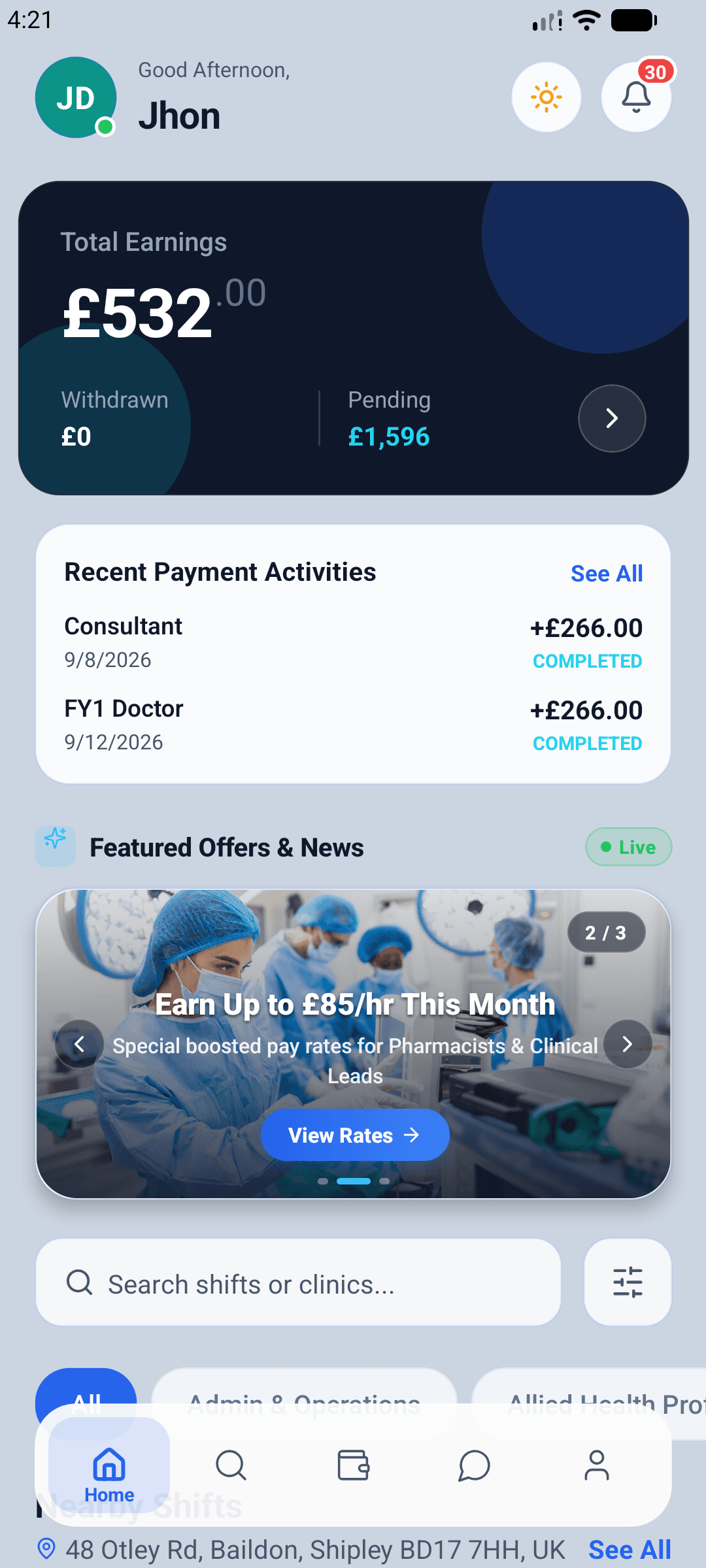
TSOR Med — find shifts near you, log your hours and get paid.
Questions? Email support@tsormed.co.uk — we are a UK team.